

Close Menu
New York Daily News Online
    Facebook X (Twitter) Instagram Pinterest YouTube
    Facebook X (Twitter) Instagram YouTube TikTok
    New York Daily News OnlineNew York Daily News Online
    • Home
    • US News
    • Politics
    • Business
    • Technology
    • Science
    • Books
    • Film
    • Music
    • Television
    • LifeStyle
    • Contact
      • About
      • Amazon Disclaimer
      • DMCA / Copyrights Disclaimer
      • Privacy Policy
      • Terms and Conditions
    New York Daily News Online
    Home»Technology

    How to clear the cache on Microsoft Edge – Engadget

    AdminBy AdminNovember 23, 2026Updated:November 23, 2026 Technology
    Facebook Twitter Pinterest LinkedIn Tumblr Email Reddit
    How to clear the cache on Microsoft Edge – Engadget


    How to clear the cache on Microsoft Edge – Engadget
    IB Photography/Shutterstock

    Microsoft has been updating Windows 11 to improve performance on PCs with 8GB of RAM, including by making various apps more efficient and responsive. There are ways for users to boost performance and clean up their system as well, which is particularly key at a time when upgrading a PC’s RAM and storage can be debilitatingly expensive.

    A quick and easy way to free up some storage space — and a process that many folks stand to benefit from having as part of their regular system maintenance— is to clear the browser cache. This stores certain aspects of websites on your system, such as images, style sheets and scripts. The cache can speed up web browsing and make sites load faster since it recycles parts of webpages that stay the same.

    The cache is especially useful when you’re looking at several pages on a website, since you won’t have to re-download elements that are consistent across the domain. Still, it’s good practice to clear out the cache now and again to remove cruft that builds up over time, especially data from sites that you rarely visit.

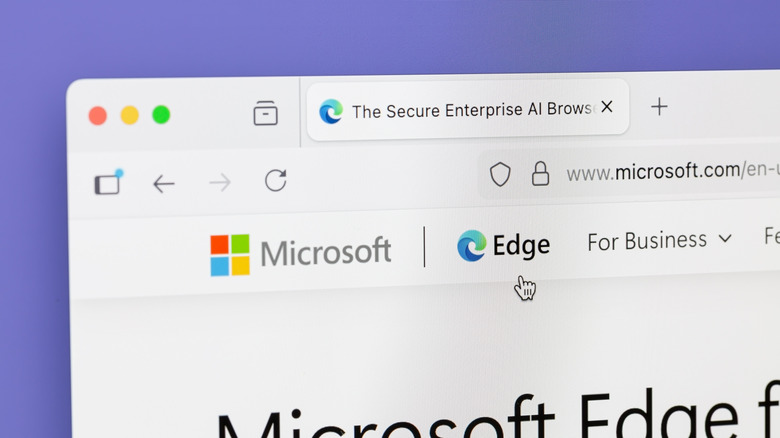
    If you’re a Windows user and you’re sticking with that platform’s default browser, that means you’re accessing the web through Microsoft Edge. Clearing the cache in Edge takes just a few moments of your precious time.

    Clearing the Microsoft Edge cache is an easy process

    First, you’ll have to decide if you want to wipe the cache only on the system you’re using or on all synced devices. If it’s the former, you’ll need to turn off the sync function first. To do that, go to the Settings and more menu in Edge (the button with three dots next to the address bar), then Settings > Profiles > Sync > Turn off sync.

    Next, you’ll want to go to the Clear browsing datapage. From the Settings menu, you’ll find that by clicking on Privacy, search, and services > Clear browsing data. Next up, click on Choose what to clear.

    You’ll see a number of types of data that you can delete, including browsing history, download history, cookies, autofill form data and site permissions. To wipe cached files and images, select that option along with a time range (all time or the last hour, 24 hours, seven days or four weeks). All you have to do from here is click Clear now,and Edge will wipe its cache for the requested time range. Hey presto, you’re done! Repeat as needed, or once every few months or so.

    View Original Article Here

    Share. Facebook Twitter Pinterest LinkedIn Tumblr Email Reddit

    you might also be interested in...

    Heres how much Starlink cost in 2020 vs. 2026 – Engadget

    Does old computer hardware ever become truly useless? – Engadget

    Samsung vs. LG OLED TVs: Whats the difference between them? – Engadget

    Why Sonys new digital Walkmans cost thousands of dollars – Engadget

    Why you shouldnt depend on GTA 6 to auto-save – Engadget

    Google boosts Geminis ability to do repetitive tasks on its Mac app – Engadget

    Popular Posts

    Trump orders contractors to check with White House over any congressional inquiries

    Why Sonys new digital Walkmans cost thousands of dollars – Engadget

    I Travel Non-Stop—These Are the 8 Items I Never Leave Home Without

    Under Pressure From Struggling Members, SAG-AFTRA Vows to Advocate for Universal Healthcare

    Trump turns White House press conference into a 2028 succession audition

    Why you shouldnt depend on GTA 6 to auto-save – Engadget

    Categories
    • Books (2,424)
    • Business (3,380)
    • Cover Story (65)
    • Events (99)
    • Feature (6)
    • Film (1,874)
    • LifeStyle (2,414)
    • Music (2,805)
    • Politics (2,278)
    • Science (2,706)
    • Technology (2,667)
    • Television (2,803)
    • Uncategorized (34)
    • US News (3,239)
    Archives
    Useful Links
    • Contact
    • About
    • Amazon Disclaimer
    • DMCA / Copyrights Disclaimer
    • Privacy Policy
    • Terms and Conditions
    Archives
    Categories
    • Books
    • Business
    • Cover Story
    • Events
    • Feature
    • Film
    • LifeStyle
    • Music
    • Politics
    • Science
    • Technology
    • Television
    • Uncategorized
    • US News
    Facebook X (Twitter) Instagram YouTube TikTok
    © 2026 New York Daily News Online. All rights reserved. All articles, images, product names, logos, and brands are property of their respective owners. All company, product and service names used in this website are for identification purposes only. Use of these names, logos, and brands does not imply endorsement unless specified. By using this site, you agree to the Terms of Use and Privacy Policy.

    Type above and press Enter to search. Press Esc to cancel.